
Why Hiring a Professional Carpet Cleaning Company Is the Best Choice for Your Home
February 11, 2026
Affordable Smart Home Automation Ideas: Make Your Home Smarter Without Breaking the Bank
February 11, 2026
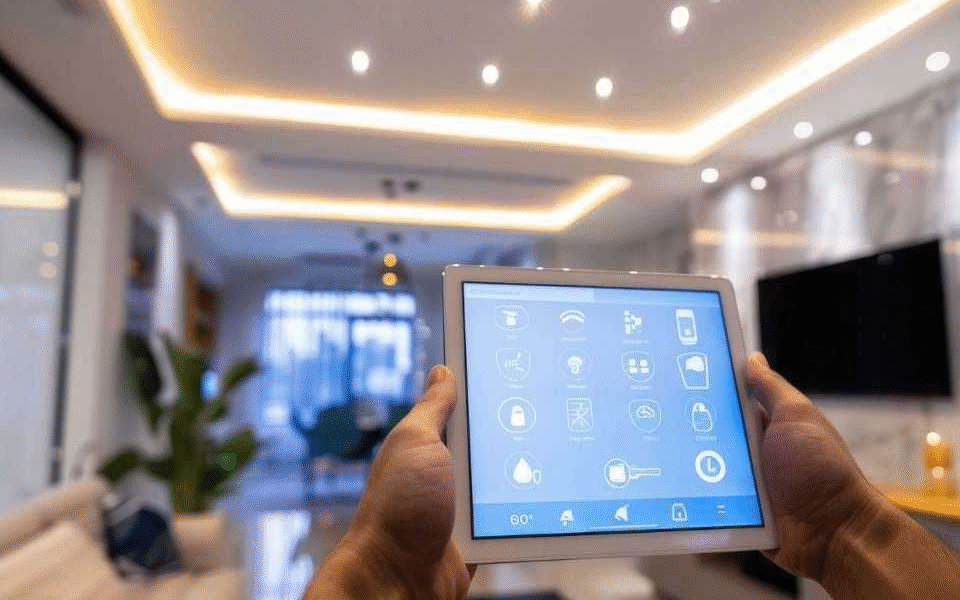
In today’s world, technology has transformed the way we live, and smart home systems are at the forefront of this change. A smart home system allows you to control devices like lights, thermostats, security cameras, and even appliances from your smartphone or voice assistant. Setting up a smart home system may seem overwhelming at first, but with a clear plan and the right tools, anyone can do it. This guide will walk you through the process in simple, easy-to-understand steps.
Step 1: Decide What You Want From Your Smart Home
Before buying devices or apps, it’s important to define your goals. Ask yourself:
- Do I want to improve home security?
- Am I looking to save energy with smart lighting and thermostats?
- Do I want convenience, like controlling everything with a voice assistant?
Understanding your needs will guide which devices to buy first and prevent overspending on gadgets you may not need.
Step 2: Choose a Smart Home Ecosystem
A smart home ecosystem is like the backbone of your system. Popular ecosystems include Amazon Alexa, Google Home, and Apple HomeKit. Choosing one ecosystem makes it easier to control multiple devices seamlessly because they’re designed to work together.
- Amazon Alexa: Works with thousands of devices and is very flexible.
- Google Home: Great for Google users, integrates well with Android and Nest devices.
- Apple HomeKit: Perfect for Apple users, secure and easy to use.
Sticking to one ecosystem avoids compatibility problems later on.
Step 3: Start With a Hub or Smart Speaker
While some devices can work independently, many require a central hub to connect them. A hub acts like a translator, allowing different devices to communicate. Some smart speakers double as hubs (like Amazon Echo or Google Nest Hub).
Make sure the hub is compatible with the devices you plan to use. Once you have a hub, you can start adding devices gradually.
Step 4: Install Smart Lighting
Smart lighting is usually the easiest and most noticeable upgrade. Options include smart bulbs, switches, and plugs.
- Smart bulbs: Replace your regular bulbs. You can control brightness, color, and schedules via an app or voice.
- Smart switches: Control the power supply to your regular bulbs. Useful if you want to control existing lights without replacing them.
- Smart plugs: Turn any device into a smart device by plugging it into a smart outlet.
Start with one or two rooms and expand as you become comfortable with the system.
Step 5: Add Smart Security
Security is one of the most popular reasons people adopt smart home technology. You can enhance security with:
- Smart cameras: Monitor your home from anywhere using your smartphone. Many cameras have motion detection and alert systems.
- Smart doorbells: See who is at your door and communicate remotely.
- Smart locks: Lock or unlock doors remotely and provide temporary codes for guests.
Integrating these devices into your hub ensures you can manage security from a single app.
Step 6: Upgrade Thermostats and Climate Control
Smart thermostats learn your schedule and adjust the temperature to save energy while keeping your home comfortable. Some popular options include Nest, Ecobee, and Honeywell Home.
Many smart thermostats integrate with other devices, like motion sensors, to automatically adjust the temperature when rooms are empty. Over time, this can significantly reduce energy bills.
Step 7: Integrate Smart Appliances
Smart appliances make your daily chores easier. Examples include:
- Smart refrigerators that track groceries
- Smart washing machines that notify you when laundry is done
- Smart ovens that can be preheated remotely
While not essential at the start, smart appliances can enhance your home’s convenience and efficiency over time.
Step 8: Set Up Automation and Scenes
Automation allows your devices to work together without constant manual control. For example:
- Morning routine: Lights gradually turn on, coffee maker starts, thermostat adjusts.
- Leaving home: Doors lock, lights turn off, security cameras activate.
- Movie time: Lights dim, TV turns on, smart blinds close.
Most smart home apps have an “Automation” or “Scenes” feature. Start with one or two simple routines, then expand as you learn.
Step 9: Test and Secure Your System
Once all devices are installed, test them individually and together. Make sure apps and voice commands work as expected.
Security is important:
- Use strong, unique passwords for each device.
- Enable two-factor authentication if available.
- Keep firmware updated to protect against vulnerabilities.
A secure system ensures your smart home is safe from hackers.
Step 10: Expand Gradually
Smart home setups don’t have to happen all at once. Start with a few key devices and gradually add more. This allows you to:
- Learn how your system works
- Avoid overwhelming yourself with too many devices at once
- Spread out costs over time
By expanding gradually, you can create a home that fits your lifestyle perfectly.
Tips for a Smooth Smart Home Experience
- Check compatibility: Ensure all devices work with your chosen ecosystem.
- Label devices: This makes controlling them via apps or voice commands easier.
- Keep Wi-Fi strong: Smart devices rely on good connectivity. Consider a mesh Wi-Fi system if needed.
- Use voice control: Voice assistants can make managing multiple devices effortless.
- Regular maintenance: Update apps and firmware, and occasionally check automation routines to keep everything running smoothly.
Common Mistakes to Avoid
- Buying too many devices at once
- Ignoring compatibility issues
- Not securing devices properly
- Overlooking network reliability
- Forgetting to plan automation carefully
Avoiding these mistakes can save you time, money, and frustration.
Conclusion
Setting up a smart home system doesn’t have to be intimidating. By planning your goals, choosing the right ecosystem, starting with essential devices, and gradually expanding, you can create a smart home that improves convenience, security, and energy efficiency. Remember, the key is to start simple, test your system, and grow it according to your needs.
A smart home is not just about technology—it’s about creating a space that works for you.
Frequently Asked Questions (FAQs)
1. Do I need a professional to install a smart home system?
Not necessarily. Many smart devices are designed for DIY installation and come with step-by-step guides. Professionals may be helpful for complex systems or hardwired devices.
2. Can I mix devices from different brands?
Yes, but compatibility depends on the ecosystem. Sticking to one main ecosystem like Alexa, Google, or HomeKit reduces potential issues.
3. Will a smart home system work without the internet?
Some devices will work offline (like certain smart bulbs or switches), but many features, including remote access, require Wi-Fi.
4. How much does it cost to set up a smart home?
Costs vary widely depending on devices and size of the home. A basic setup with lights, a hub, and a security camera can start around $200-$300, while a full setup can go into the thousands.
5. Are smart homes secure from hackers?
Smart homes are generally secure if you follow best practices: strong passwords, two-factor authentication, and regular updates. Avoid default settings to reduce risk.